

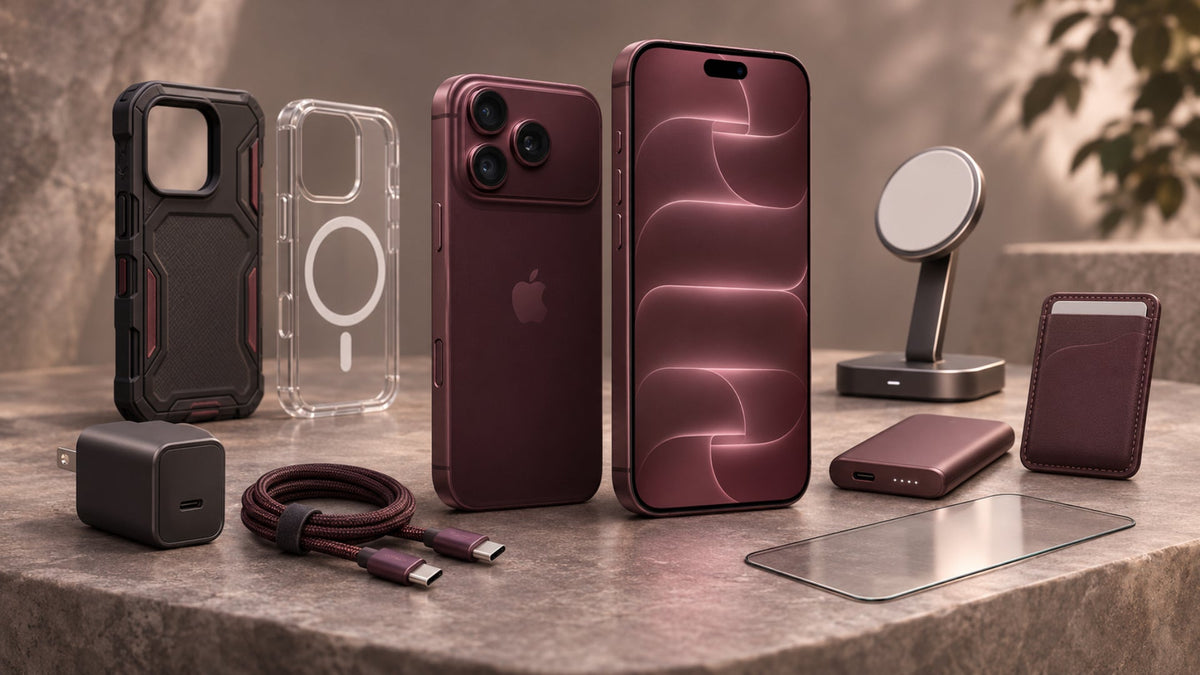
The best Apple iPhone 18 Pro accessories protect your phone, keep it charged, and suit how you use it every day. A new phone is a big purchase, so a cracked screen or a flat battery in the first week is the last thing you want. According to Apple's tech specs, the box includes a 1 m USB-C cable but no power adapter, so you'll need at least one charger from the start.
In this guide, we cover cases, screen protectors, chargers, power banks, camera gear, stands, and a few useful extras. We also show you which accessories to buy first and which ones you can leave for later.
What Should You Consider Before Buying iPhone 18 Pro Accessories?
The right accessories depend on your exact model, how you charge your phone, and how hard you are on it. Check these four points before you buy anything.
Compatibility With the iPhone 18 Pro and Pro Max
The iPhone 18 Pro and Pro Max are different sizes, so cases, screen protectors, and mounts fit one model only. Apple sells separate cases for each phone. Chargers, cables, and magnetic iPhone 18 Pro Max accessories work across both, because the two phones share the same USB-C port and MagSafe support. Always match the exact model name on the product page.
MagSafe and Wireless Charging Compatibility
Apple lists MagSafe and Qi2 wireless charging up to 25W on both phones. Look for "MagSafe" or "Qi2 25W" on the box if you want the fastest wireless charging. Older or lower-power wireless chargers still work, but they charge your phone more slowly.
Build Quality and Protection
Apple lists Ceramic Shield 2 on the front, Ceramic Shield on the back, and an IP68 rating for water and dust. Apple also states that this resistance isn't permanent and can drop with normal wear. Even a tough phone slips out of pockets and picks up scratches in bags, so a case and screen protector still make sense.
Price and Everyday Use
Match your spending to your habits rather than buying everything at once. Frequent travellers usually get more from a good power bank, while creators benefit from camera gear and drivers from a solid car mount. Check the cables and chargers you already own, because some of them may work with your new phone.
What Are the Best Cases for the iPhone 18 Pro and Pro Max?
The best iPhone 18 Pro cases depend on how much protection you need and how much bulk you'll accept. A cracked back on a new phone is an expensive repair, and a drop can happen on any ordinary day.
Apple's own TechWoven, Silicone, and Clear cases all come with MagSafe, which gives you a useful benchmark when you compare brands. At Ghostek, we've put our iPhone 18 series cases in one place, so you can compare protective and MagSafe-compatible styles for your exact model.

Best Overall Protective Cases
Protective cases suit you if you drop your phone often or spend your day on the move. Look for raised edges around the screen and camera, plus shock-absorbing corners. These cases add some bulk, but they give you the most cushioning in a fall.
Best Slim Cases
Slim cases suit you if pocket comfort matters more than heavy drop protection. They guard against scratches and small knocks while keeping the phone light. A slim case like Ghostek's COVERT offers everyday protection without unnecessary bulk. The trade-off is less cushioning, so we'd pair it with a good screen protector.

Best Clear Cases
Many people skip a case because they don't want to hide the phone's design. A clear case lets you keep showing the Glacier, Silver, or Burgundy finish while still protecting the back and edges. Choose one with built-in MagSafe magnets so your accessories still attach firmly.
Best Leather and Premium Cases
Leather and premium cases suit you if you want a more refined look and feel in the hand. Leather usually softens and changes colour with use, which many owners enjoy. Apple also lists vegan leather and FineWoven materials if you'd prefer a non-animal option.
Best MagSafe-Compatible Cases
We recommend a MagSafe-compatible case for most people, because MagSafe is a core feature of the iPhone 18 Pro. The built-in magnets keep chargers, wallets, and mounts lined up. Before you buy, check that the case leaves the camera and the Camera Control button easy to reach.
What Are the Best Screen Protectors for the iPhone 18 Pro and Pro Max?
An iPhone 18 Pro screen protector is a choice rather than a necessity, but it adds a simple layer against scratches and cracks. Apple lists an anti-reflective, fingerprint-resistant coating on the display, so pick a protector that keeps the screen easy to read.
You can compare tempered glass and privacy options in our screen protection range. Apple's store also lists the Belkin UltraGlass 2 for both the Pro and Pro Max.
Best Tempered Glass Screen Protectors
Tempered glass gives you a good mix of scratch and impact protection for everyday use. Choose one with case-friendly edges, so your case doesn't lift the glass at the corners over time.
Best Privacy Screen Protectors
Privacy protectors suit commuters and travellers who often use their phone in public. A privacy screen protector darkens the screen from the side, which helps keep your messages away from people sitting nearby. The trade-off is a narrower viewing angle for you as well.

Best Anti-Glare Screen Protectors
Anti-glare protectors suit you if you often use your phone outdoors or under bright lights. They cut reflections, but the screen can look slightly softer than it does through clear glass.
What Are the Best Chargers for the iPhone 18 Pro and Pro Max?
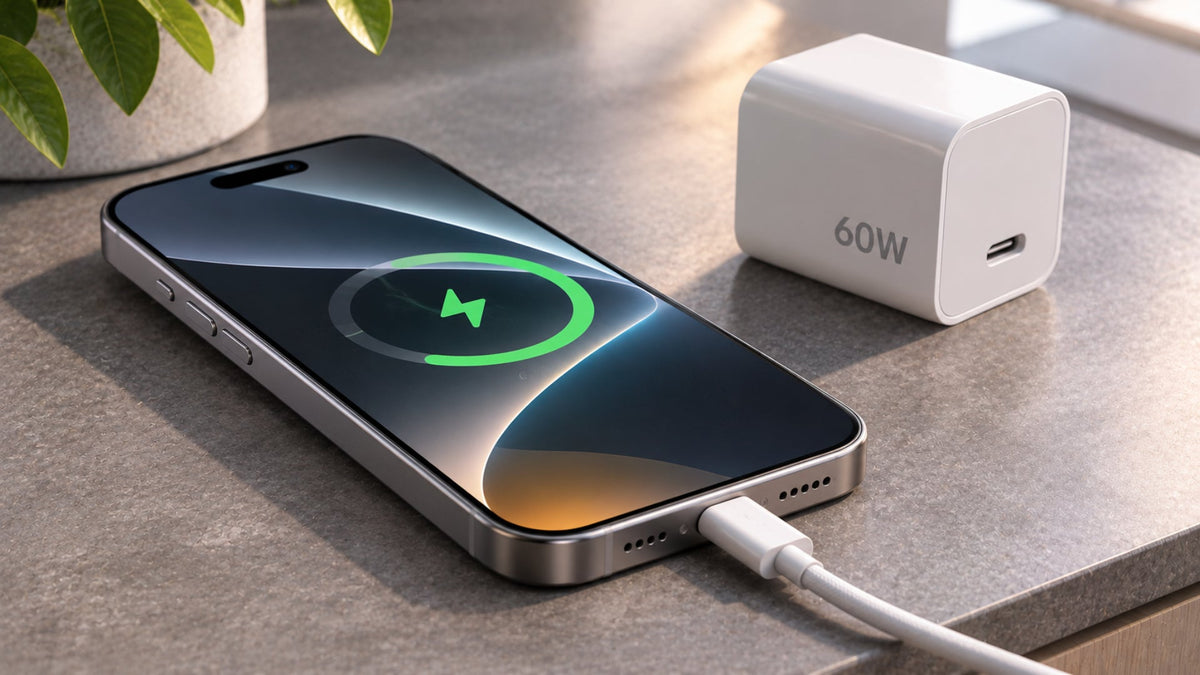
Your first iPhone 18 Pro charger should be a USB-C wall adapter, because Apple doesn't include one in the box. According to Apple's charging specs, the phone can reach up to 50% in around 15 minutes. That result needs a 60W-capable adapter or higher with Adjustable Voltage Supply (AVS) and a USB-C cable.
With a 35W or higher adapter and a MagSafe Charger, Apple lists up to 50% in 30 minutes. Charge times vary with your adapter, settings, and usage, so treat these figures as best-case results.
Best USB-C Wall Chargers
Look for USB Power Delivery (USB PD), AVS support, and a rating of 60W or higher for Apple's fastest wired charging. Your cable needs to match, so pair the adapter with a 60W-capable USB-C cable. For everyday charging, Ghostek's NRGlink 45W USB-C charger is another option, although it won't reach Apple's maximum advertised charging speed.

Best MagSafe and Qi2 Wireless Chargers
An iPhone 18 Pro MagSafe charger or a Qi2 25W pad works well on a desk or bedside table. The magnets line up the phone for you, so you can pick it up and put it down without fiddling with cables.
Best Multi-Port Charging Stations
A multi-port station helps if you charge a phone, earbuds, and a watch together. Keep in mind that the total output is shared, so each port may deliver less power when several devices are connected.
What Are the Best Portable Power Banks for the iPhone 18 Pro and Pro Max?
A power bank is worth buying if you travel often or spend long days away from a plug. Apple's fast-charge figures depend on a source that supports 60W with AVS, or 35W with a MagSafe Charger. If your power bank doesn't meet these conditions, it'll still charge your phone, just more slowly.
Best Magnetic Power Banks
Magnetic banks snap onto the back of your phone, so you can keep using it while it charges. They suit quick top-ups during a busy day.
Best USB-C Power Banks
An iPhone 18 Pro power bank with USB-C output usually gives you faster wired top-ups than a magnetic model. Check for USB PD support and carry a cable that matches its output.
Best High-Capacity Power Banks for Travel
High-capacity banks suit flights and long days out. Airlines set their own rules for large power banks, so check with your airline before you pack one.

What Are the Best Camera Accessories for the iPhone 18 Pro and Pro Max?
Most people don't need extra camera gear, but creators can get more from the phone with a few well-chosen iPhone 18 Pro camera accessories. According to Apple's camera specs, the phone has a 48MP Pro Fusion camera system and 8x optical-quality zoom. It also records ProRes video up to 4K at 120 fps with external recording, plus Apple Log 2.
Best iPhone Tripods and Grips
Tripods and grips keep your shots steady for video, time-lapses, and low-light photos. Choose one with a MagSafe or clamp mount that leaves the Camera Control button free.
Best External Microphones
Apple lists four studio-quality mics with wind noise reduction, so most people can skip this one. An external mic is an upgrade for creators who film interviews, vlogs, or noisy outdoor scenes.
Best Camera Lenses and Filters
Clip-on or magnetic lenses and filters change the look of your shots. They work best with a case that leaves the camera area clear, so check the fit before you buy.
Best Camera Lighting Accessories
A small LED light helps when you film indoors or at night. Pick one that clips onto the phone or mounts on your tripod, so your hands stay free.
What Are the Best Stands and Mounts for the iPhone 18 Pro and Pro Max?
Magnetic stands and mounts snap onto the phone's built-in magnet array, so you can attach and remove it in seconds. Apple's store lists MagSafe grips and stands from PopSockets and MOFT if you want a slim option that stays on the phone.
Best Desk Stands
Desk stands suit video calls, recipes, and watching shows. Choose one with an adjustable angle, so the screen stays at eye level.
Best Car Mounts
An iPhone 18 Pro car mount should hold the phone firmly and keep the screen in clear view. If your mount charges wirelessly, Apple's MagSafe guide says charging can be limited while a USB-C accessory is connected.
Best Adjustable Phone Holders
Adjustable holders suit you if you move between your desk, bed, and kitchen. Flexible arms or clamp bases let you place the phone exactly where you need it.
What Other Accessories Are Worth Buying for the iPhone 18 Pro and Pro Max?
A few smaller extras can make daily use easier. These are the ones we think are worth a look, depending on your routine.
- USB-C cables: Useful for charging and moving files. You need a 10Gb/s USB 3 cable to reach the port's top data speed.
- Wireless earbuds: Handy for calls, music, and video on the go. The phone supports Bluetooth 6.
- Bluetooth trackers: Good for keeping track of bags, keys, and luggage, especially when you travel.
- Camera lens protectors: Optional, since Apple lists a sapphire crystal lens cover. Some people still add one for rough daily use.
- Cleaning kits: A soft polishing cloth keeps the display, lenses, and phone body free of smudges.
- USB-C hubs and adapters: These connect your phone to compatible screens, drives, and other devices. The USB-C port supports DisplayPort and USB 3.
Which iPhone 18 Pro and Pro Max Accessories Are Worth Buying First?
Start with a case, a screen protector, and a suitable charger, then add the rest based on how you use your phone. The table below shows what each accessory does and who it suits.
| Accessory | Main benefit | Best for |
|---|---|---|
| Protective case | Protects the phone body | All users |
| Screen protector | Helps prevent display scratches | All users |
| USB-C charger | Convenient wired charging | Daily use |
| MagSafe charger | Magnetic wireless charging | Wireless charging users |
| Power bank | Portable extra power | Travellers and heavy users |
| Tripod | More stable photos and videos | Content creators |
| Car mount | Hands-free phone positioning | Drivers |
| Wireless earbuds | Convenient audio | Music and calls |
The first three rows cover protection and power, which almost every new owner needs from day one. Other Apple iPhone 18 Pro accessories depend on your routine. A commuter might add a car mount, while a creator would add a tripod first.
FAQs
Do iPhone 18 Pro and Pro Max use the same accessories?
Chargers, cables, and magnetic wireless accessories work with both phones. Cases, screen protectors, and mounts are sized for each model, so check the exact name.
Can I use an iPhone 17 Pro case with the iPhone 18 Pro?
You shouldn't assume it will fit. Apple sells separate cases for each model, so choose a case made for the iPhone 18 Pro to get a proper fit.
Does the iPhone 18 Pro support MagSafe accessories?
Yes, it does. Apple lists MagSafe charging up to 25W, along with a magnet array and an alignment magnet for accessories.
What charger should I buy for the iPhone 18 Pro Max?
Choose a USB-C charger rated 60W or higher with AVS for Apple's fastest wired result. For wireless, use a 35W or higher adapter with a MagSafe Charger.
Are third-party iPhone 18 Pro accessories safe to use?
Reputable third-party accessories that meet the phone's charging and fit needs are generally fine. Apple encourages you to use any compatible USB-C power adapter.
Do I need a camera lens protector for the iPhone 18 Pro?
It's not always needed. Apple lists a sapphire crystal lens cover, but a protector can give you extra peace of mind during rough daily use.
What are the most essential accessories for a new iPhone 18 Pro?
Start with a case, a screen protector, and a suitable USB-C charger, since the box includes a cable but no power adapter.

Leave a comment
This site is protected by hCaptcha and the hCaptcha Privacy Policy and Terms of Service apply.