

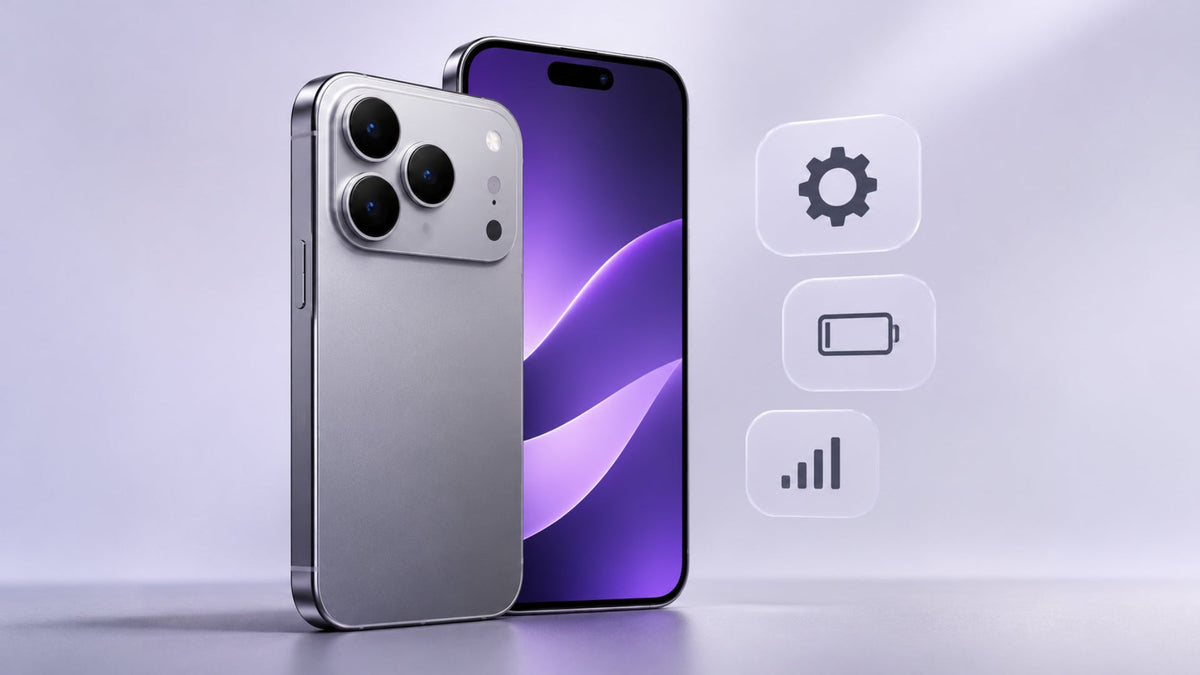
The most reported iPhone 18 Pro Max problems since its September 2026 launch are AT&T service loss, Face ID restarts, speaker crackle, and cosmetic wear on the frame and back glass. Not every phone is affected, and Apple fixed several software bugs in iOS 27.0.1, released on September 28, 2026.
If you've just paid USD 1,299 or more for a new phone, early complaints can feel worrying. Most have a clear fix or a clear next step. Below, we separate what Apple has confirmed from what owners report, then cover durability, fixes, repair checks, and protection. Everything here reflects the situation as of November 2026.
What Are the Most Common iPhone 18 Pro Max Problems Reported by Customers?
The issues below come from owner reports and tech press coverage. Apple has confirmed four of them: the AT&T service issue and three software bugs fixed in iOS 27.0.1. The rest are user reports with no Apple statement as of November 2026.
Why Does the iPhone 18 Pro Max Lose Cellular Service or Enter SOS Mode?
Some U.S. owners on AT&T reported that their iPhone 18 Pro Max lost service and couldn't make calls, send texts, or use data. Apple acknowledged an issue affecting a small number of Pro Max users on AT&T, and both Apple and AT&T released updates. Phones already affected may need a replacement. Neither company has shared the specific cause.
If SOS appears in your status bar, follow Apple's steps for SOS, No Service, or Searching on iPhone.
Status: Updates released. Already affected phones may need replacement.
Why Does Face ID Freeze or Restart the iPhone 18 Pro Max?
Some owners found that a failed Face ID attempt, such as unlocking a locked app, could freeze the phone and restart it to the Lock Screen. Apple's iOS 27.0.1 release notes say the update fixes this restart on the iPhone 18 Pro and Pro Max. These are the first Pro models with the Face ID infrared camera under the display.
If Face ID still misbehaves after you update, reset it in Settings > Face ID & Passcode and set it up again.
Status: Fixed in iOS 27.0.1.
Why Does the iPhone 18 Pro Max Get Hot or Overheat?
As of November 2026, there's no confirmed overheating defect on the iPhone 18 Pro Max. Warmth is common during setup, while restoring a backup, and in the first days after an iOS update, when the phone indexes files and syncs photos. Heavy use and charging add heat too. Apple says the phone may warm slightly while charging and may limit charging above 80% if the battery gets too warm.
Status: No confirmed defect.
Why Is the iPhone 18 Pro Max Battery Draining Quickly?
Some owners reported fast battery drain after installing iOS 27. Background work after an update is a common cause, and it usually settles within a few days. Apple rates the iPhone 18 Pro Max for up to 30 hours of typical use.
Open Settings > Battery to see which apps use the most power. If you see an "Ongoing iOS Update" notice there, wait a few days before you judge battery life.
Status: No confirmed defect.
What Camera Problems Have Been Reported on the iPhone 18 Pro Max?
Apple's iOS 27.0.1 notes describe a color artifact that could appear in 2x photos taken at f/1.48 in certain lighting, on a small number of iPhone 18 Pro and Pro Max devices. The update fixes it. Some owners also describe pale rings around the rear lenses and lens smearing, but Apple hasn't commented on either.
Status: Color artifact fixed. Other reports unconfirmed.
Why Do Some iPhone 18 Pro Max Speakers Crackle or Pop?
Some owners hear brief crackling, popping, or clicking during calls, notifications, volume changes, or quick brightness changes. iOS 27.0.1 didn't fix it, and Apple hasn't commented publicly. Some Apple and retail staff have reportedly told owners it's likely a software issue.
Status: Unresolved as of November 2026.
Why Does the iPhone 18 Pro Max Screen Freeze or Stop Responding?
iOS 27 had a bug that could make the touchscreen stop responding when Control Center and Notification Center opened at the same time. Apple fixed it in iOS 27.0.1, and it affected more than just Pro models. A few owners have also reported green or pink lines on the display, which Apple hasn't confirmed.
Status: Touch freeze fixed. Screen line reports unconfirmed.
Why Is the iPhone 18 Pro Max Not Charging Properly?
As of November 2026, no charging defect specific to the iPhone 18 Pro Max has been found. Apple points to common causes: a warm battery pausing charging above 80%, a damaged cable or adapter, or debris in the USB-C port. Try another cable or charger and restart the phone.
If it still won't charge, follow Apple's guide for when your iPhone won't charge. Our guide to how fast the iPhone 18 Pro and Pro Max can charge explains which adapters reach full speed.
Can the iPhone 18 Pro Max Get Scratched or Damaged Easily?
The front glass resists scratches well, but no part of the iPhone 18 Pro Max is scratch-proof, and some areas show wear sooner. Apple uses Ceramic Shield 2 on the front, the original Ceramic Shield on the back, and an aluminum unibody frame.
Independent durability tests published in 2026 found the front glass stayed free of marks up to level 7 on the Mohs scale (a mineral hardness scale from 1 to 10), with deeper scratches at level 8. The aluminum frame and the camera plateau coating scratched more easily. In drop tests, the corners, rear glass, and camera area were the weakest points, and the screen cracked from about 5 feet.
If you want extra cover for the display, read our guide on whether the iPhone 18 Pro Max needs a screen protector.
5 Ways to Fix Common iPhone 18 Pro Max Problems
Most software issues improve with a few basic steps, starting with updates.
- Update iOS and carriers: Install iOS 27.0.1 or later from Settings > General > Software Update. Then open Settings > General > About, which prompts you if a carrier settings update is waiting.
- Restart and check apps: Restart the phone and update your apps. If a problem only appears in one app, that app is the likely cause.
- Review battery activity: Check Settings > Battery for apps that use the most power. Give the phone a few days after a major update.
- Check cellular settings: Confirm coverage in your area, turn your cellular line off and on, and reset network settings if service doesn't return. Apple's SOS page, linked above, lists each step.
- Contact Apple Support: If symptoms continue after updates and restarts, the cause may be hardware, so get the phone checked.
Are iPhone 18 Pro Max Problems Caused by Hardware or Software?
Most iPhone 18 Pro Max problems reported so far trace back to software, and iOS 27.0.1 fixed the main ones. A few involve hardware, and one remains unclear. The table shows each problem's likely type and status.
| Problem | Likely type | Status (November 2026) |
|---|---|---|
| Face ID restart | Software | Fixed in iOS 27.0.1 |
| 2x photo color artifact | Software | Fixed in iOS 27.0.1 |
| Touchscreen freeze | Software | Fixed in iOS 27.0.1 |
| AT&T service loss | Software fix, hardware for affected units | Updates out, replacement may be needed |
| Speaker crackle | Unclear | Unresolved, no Apple statement |
| Back glass corner gaps | Hardware (cosmetic) | Reported by some owners, not confirmed |
| Battery drain and heat | Post-update activity | No confirmed defect |
If your issue sits in a software row, updating is usually enough. Phones already hit by the AT&T issue, or with visible gaps around the back glass, need an in-person check because an update can't change hardware.
How to Check Whether Your iPhone 18 Pro Max Needs Repair
Try the software steps above first. If the problem stays, use this checklist before you book a repair.
Check for software and carrier updates
Go to Settings > General > Software Update and install the latest version. Then open Settings > General > About to trigger any waiting carrier update. Several reported problems end at this step.
Back up your data before service
Back up your iPhone to iCloud or a computer before any repair. Apple may replace the whole device, as with affected AT&T units, so a fresh backup keeps your photos and messages safe.
Review warranty and coverage options
Every iPhone comes with a one-year limited warranty for hardware repairs and up to 90 days of free support. AppleCare+ adds repair and replacement coverage. Enter your serial number to check your warranty or AppleCare plan.
Contact Apple or an authorized service provider
Get help through Apple Support, an Apple Store, or an Apple Authorized Service Provider, with mail-in or carry-in repair. For AT&T-related service loss, Apple or an AT&T store can handle a replacement.
How Can You Protect Your iPhone 18 Pro Max From Physical Damage?
A fitted case and a few simple habits protect the areas that wear first: the corners, back glass, frame, and camera plateau. A scuffed frame on a new phone is frustrating, but most of this damage is preventable.
- Fitted case: Choose a case made for the Pro Max, with raised edges around the screen and camera. Our iPhone 18 Pro Max cases include slim clear and aluminum-frame styles.
- Screen protector: Add one as an extra layer, since the display resists scratches but isn't scratch-proof.
- Separate pockets: Keep keys, coins, and sand away from the phone.
- Port and heat care: Keep lint out of the USB-C port and avoid extreme heat, such as a hot car.
- AppleCare+: Consider it if you want extra repair and replacement coverage.
FAQ
What is the biggest problem with the iPhone 18 Pro Max?
The most serious reported issue is AT&T service loss on some U.S. units, which may need replacement. It affects a small number of phones, according to Apple.
Does the iPhone 18 Pro Max have cellular connectivity issues?
Only some AT&T customers have reported them, as of November 2026. Pro Max owners on Verizon or T-Mobile haven't reported the same issue. Install the latest iOS and carrier update to lower your risk.
Why is my iPhone 18 Pro Max overheating?
Setup, restoring, charging, and post-update activity commonly cause warmth. If the phone shows a temperature warning or stays hot during light use for more than a few days, contact Apple Support.
Why is my iPhone 18 Pro Max battery draining so quickly?
Background indexing after an iOS update often drains the battery for a few days. If drain continues after a week of normal use, restart the phone and contact Apple.
Can an iOS update fix iPhone 18 Pro Max problems?
Yes, for software bugs. iOS 27.0.1 fixed three confirmed issues, but it didn't fix the speaker crackle, and it can't repair hardware faults like back glass gaps.
Will Apple replace a faulty iPhone 18 Pro Max?
It depends on the fault and your coverage. Apple said some AT&T-affected units may need replacement. For other faults, your limited warranty or AppleCare+ status decides the repair options.

Leave a comment
This site is protected by hCaptcha and the hCaptcha Privacy Policy and Terms of Service apply.